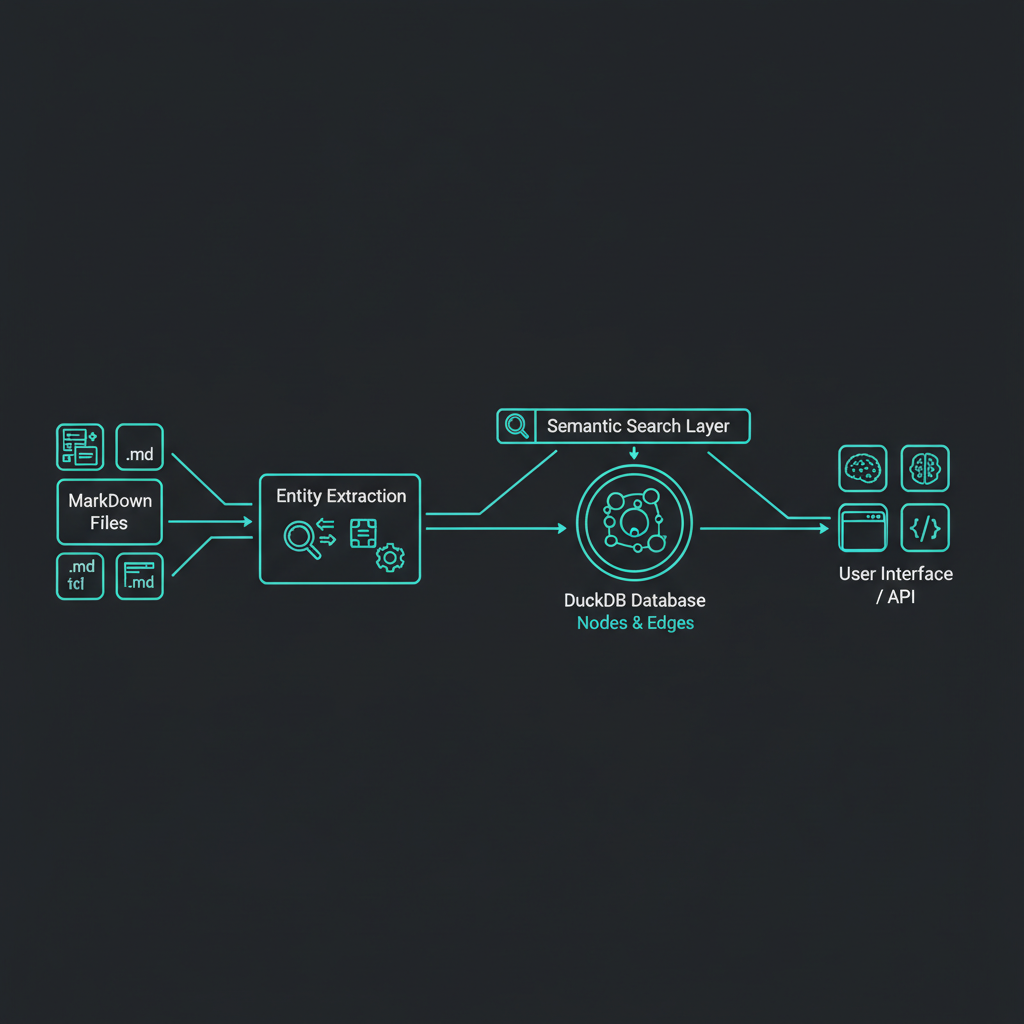
Building Lattice: A Knowledge Graph for Claude Code
I’ve been deep into AI-assisted development with Claude Code, and one thing became clear: AI assistants work best when they have context. But context scattered across dozens of markdown files is hard to search and even harder to connect.
So I built Lattice - a knowledge graph that integrates directly with Claude Code through slash commands, turning your documentation into searchable, connected knowledge.
The Problem with Documentation
Most documentation systems treat files as isolated units. You have a folder full of markdown files, maybe a search that does keyword matching, and that’s it. But knowledge isn’t isolated - it’s connected.
When I research a topic, I create multiple related documents:
- Architecture decisions
- Technical comparisons
- Implementation notes
- Meeting notes
These documents reference the same concepts, tools, and decisions. But traditional documentation tools don’t capture these relationships.
What Makes Lattice Different
Human-Initiated Extraction
Most knowledge graph tools (like GraphRAG or LightRAG) use a “pipeline-auto” approach - they automatically extract entities whenever you add a document. This sounds convenient, but it means:
- No control over what gets extracted
- No review before committing to the graph
- Hidden extraction quality issues
Lattice takes a different approach: human-initiated extraction. You decide when to extract entities, you can review what was extracted, and you commit changes to your graph explicitly - all through Claude Code commands.
Entities in YAML Frontmatter
Instead of hiding extracted entities in a database, Lattice stores them in your document’s YAML frontmatter:
---
title: Authentication Architecture
entities:
  - name: JWT
    type: Technology
    relationships:
      - target: User Authentication
        type: IMPLEMENTS
  - name: OAuth2
    type: Protocol
    relationships:
      - target: Third-Party Login
        type: ENABLES
---
This means:
- Version controlled: Entity changes are tracked in git
- Editable: Fix extraction errors before syncing
- Transparent: See exactly what’s in your graph
Powered by DuckDB
Early versions of Lattice used FalkorDB (a Redis-based graph database). It worked, but required Docker and external services. Then I migrated everything to DuckDB:
- 1,784 nodes migrated with embeddings preserved
- 4,074 relationships maintained
- Zero external dependencies - just a local file
DuckDB gives us:
- SQL for complex queries
- Vector search via VSS extension
- Single file storage (no Docker, no servers)
The Workflow: Claude Code Slash Commands
The primary interface for Lattice is through Claude Code slash commands. Here’s my typical workflow:
1. Research a Topic with /research
When I want to research something, I use the /research command in Claude Code:
/research embedding models comparisonClaude Code then:
- Searches existing documentation for related content
- Asks if I want to create new research or update existing docs
- Creates well-structured markdown files with proper frontmatter
- Organizes files in topic directories (
~/.lattice/docs/{topic}/)
2. Sync to Graph with /graph-sync
After creating or updating documentation, I sync everything to the knowledge graph:
/graph-syncThis single command handles the entire pipeline:
- Detects modified documents that need entity extraction
- Extracts entities using Claude Haiku (tools, concepts, decisions, relationships)
- Writes entities to YAML frontmatter where you can review them
- Syncs to the DuckDB graph with semantic embeddings
The key insight: you don’t need to manually call entity extraction. /graph-sync handles it all - detecting what changed, extracting entities, and syncing to the graph in one step.
3. Semantic Search
Now the knowledge graph powers search across all my documentation. When I ask Claude Code a question, it can search the graph for related concepts, past decisions, and connected documents.
Why Claude Code Integration Matters
The key insight is that the user experience is the Claude Code conversation, not a separate CLI tool. The Lattice CLI exists to support Claude Code agents - it’s the backend that powers the slash commands.
This means:
- Natural language interface: Just talk to Claude about what you want to research
- Contextual suggestions: Claude can suggest related documents and entities
- Seamless workflow: Research and sync - all without leaving your conversation
Technical Architecture
┌─────────────────────────────────────────────────────────────────────┐
│                    LATTICE + CLAUDE CODE                            │
├─────────────────────────────────────────────────────────────────────┤
│                                                                     │
│   User                     Claude Code                   Backend    │
│   ┌─────────┐             ┌──────────┐              ┌─────────┐    │
│   │/research│ ─────────▶  │  Slash   │ ──────────▶  │ Lattice │    │
│   │         │             │ Commands │              │   CLI   │    │
│   │/graph-  │             │          │              │         │    │
│   │  sync   │             │          │              │         │    │
│   └─────────┘             └──────────┘              └─────────┘    │
│        │                       │                         │         │
│        │                       ▼                         ▼         │
│        │                  ┌──────────┐              ┌─────────┐    │
│        │                  │  Claude  │              │ DuckDB  │    │
│        │                  │  Haiku   │              │  + VSS  │    │
│        │                  │(extract) │              │         │    │
│        │                  └──────────┘              └─────────┘    │
│        │                       │                         │         │
│        ▼                       ▼                         ▼         │
│   ┌─────────┐             ┌──────────┐              ┌─────────┐    │
│   │Response │ ◀────────── │   YAML   │ ◀─────────── │ Voyage  │    │
│   │  with   │             │ Front-   │              │ Embed-  │    │
│   │ context │             │ matter   │              │ dings   │    │
│   └─────────┘             └──────────┘              └─────────┘    │
│                                                                     │
└─────────────────────────────────────────────────────────────────────┘
Key Components
- Slash Commands:
/researchand/graph-sync- the user interface - Lattice CLI (
@zabaca/lattice): Backend for Claude Code agents - Extractor: Uses Claude Haiku for entity extraction
- Graph Store: DuckDB with VSS extension for vector search
- Embeddings: Voyage AI for semantic similarity
Why Not Just Use [X]?
Obsidian: Great for personal notes, but the knowledge graph is based on explicit links, not semantic relationships. You have to manually create connections.
Notion: No real knowledge graph. Search is keyword-based.
GraphRAG/LightRAG: Pipeline-auto approach with no human review. Also Python-only (I wanted TypeScript/Bun).
Neo4j: Requires server setup. Overkill for personal documentation.
Lattice fills a specific niche: Claude Code users who want a knowledge graph for their markdown documentation with human-initiated extraction and local-first storage.
What’s Next
I’m currently working on:
- Better visualization: A web UI to explore the graph
- Cross-project search: Query across multiple documentation repositories
- Improved extraction: Fine-tuning prompts for better entity recognition
Getting Started
If you use Claude Code and want to try Lattice:
1. Install the CLI
bun add -g @zabaca/lattice2. Initialize Lattice
lattice initThis single command sets up everything:
- Slash commands: Installs
/researchand/graph-syncinto your.claude/commands/directory - Docs directory: Creates
~/.lattice/docs/for your research documentation - Environment: Prompts for your Voyage AI API key (for semantic embeddings)
- DuckDB graph: Initializes the local graph database
3. Start Researching
Now you can use the slash commands in Claude Code:
/research your topic here4. Sync to Graph
After creating documentation, sync it to the knowledge graph:
/graph-syncThat’s it - your knowledge graph is ready to use.
Source code: github.com/Zabaca/lattice
The real power comes from the Claude Code integration - your research becomes a conversation, and the knowledge graph builds naturally as you work.